Email Marketing Automation: Complete Guide for Businesses
Discover how email marketing automation helps businesses save time, nurture leads, increase sales, and deliver relevant emails based on customer actions and behavior. Learn the most common automation workflows and how to build an effective email automation strategy.
Email marketing remains one of the most effective ways for businesses to communicate with customers, nurture potential buyers, and generate repeat sales. However, as an email list grows, manually sending every message becomes time consuming and difficult to manage.
This is where email marketing automation becomes valuable.
Email marketing automation allows businesses to send relevant messages automatically based on subscriber actions, interests, and behavior. Instead of creating and sending the same emails repeatedly, marketers can build an automated workflow once and let their email marketing platform manage the process.
For example, when someone subscribes to a newsletter, they can automatically receive a welcome email. If they click a link about a particular product, they can receive related information later. If they make a purchase, they can enter a post purchase or customer onboarding workflow.
The goal is not simply to send more emails. The goal is to send the right message at the right time while creating a more consistent customer experience.
What Is Email Marketing Automation
Email marketing automation is the process of automatically sending emails when specific actions, conditions, or events occur.
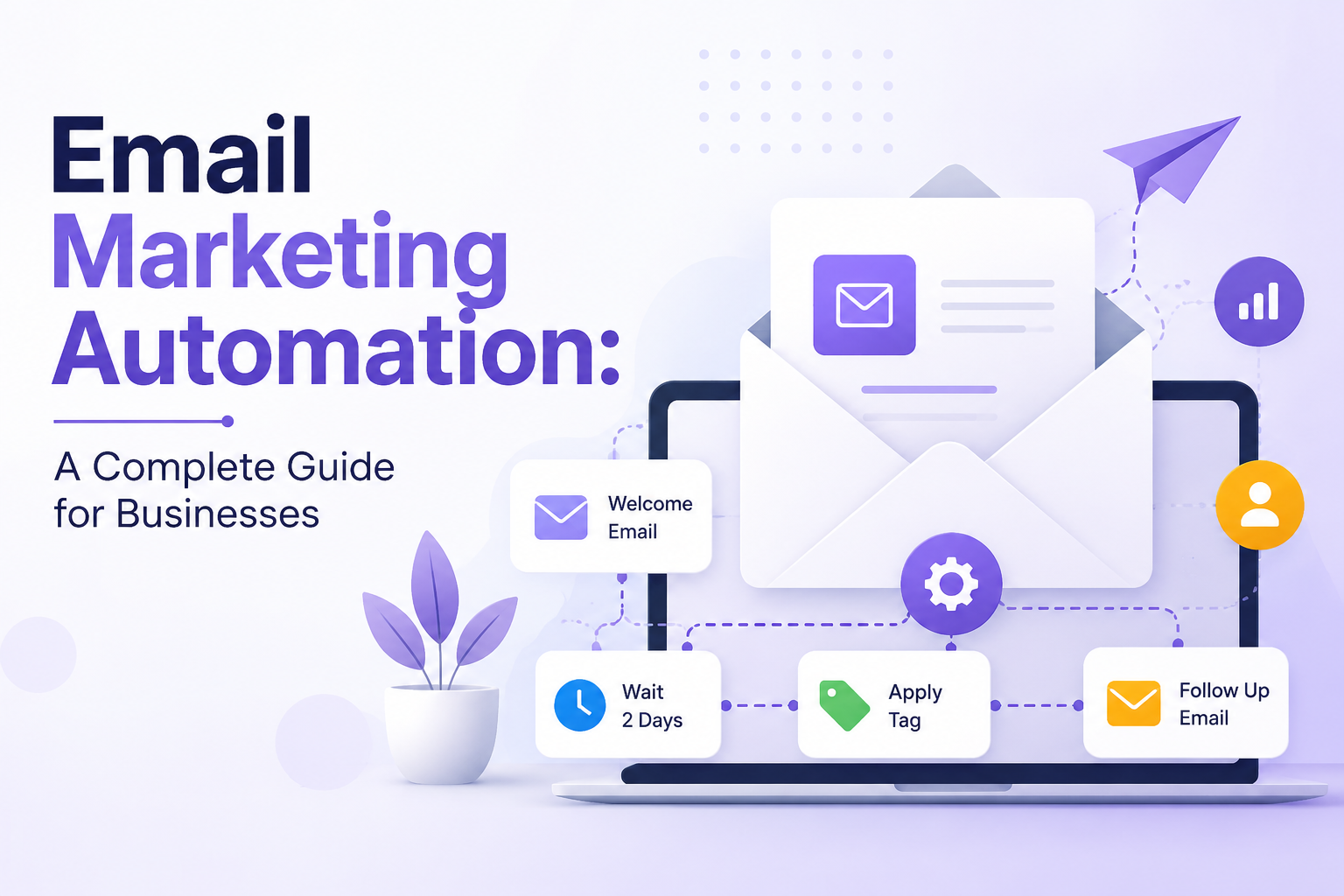
Instead of manually deciding when every email should be sent, businesses create an email automation workflow that defines the trigger, message, timing, and next action.
- A simple workflow might look like this.
- A visitor signs up for an email list.
- They immediately receive a welcome email.
- Two days later, they receive useful educational content.
- A few days later, they receive information about a relevant product or service.
- If they purchase, they enter a customer onboarding sequence.
- If they stop engaging with emails, they may eventually receive a re engagement message.
- Once properly configured, these processes can run automatically.
This makes automated email marketing particularly useful for businesses that want to maintain regular communication without constantly managing individual campaigns.
Businesses can also connect automation with their broader email strategy. If you are planning your overall approach, the MailSnappy Email Marketing Strategy Guide can help you understand how automation fits into a complete email marketing strategy.
How Does Email Marketing Automation Work
Most email automation workflows are built around three important elements: triggers, conditions, and actions.
Triggers
A trigger is the event that starts an automation.
Common email automation triggers include a new subscriber joining a list, a customer making a purchase, someone submitting a signup form, a subscriber clicking a particular link, a customer abandoning a shopping cart, or a contact becoming inactive.
For example, a visitor who submits a signup form can automatically enter a welcome email sequence.
The trigger should always be connected to the purpose of the workflow. A welcome workflow needs a signup trigger, while an abandoned cart workflow needs a shopping cart event.
Conditions
Conditions determine what happens after a particular action.
For example, an automation can check whether a subscriber opened an earlier email.
- If the subscriber opened the email, the workflow could send related content.
- If they did not open it, the workflow could wait and send a different message.
This allows businesses to create behavioral email automation instead of sending exactly the same sequence to every subscriber.
Actions
Actions are the tasks performed by the email automation platform.
An action could include sending an email, waiting for a specific period, adding a contact to a segment, updating subscriber information, or moving someone into another workflow.
When triggers, conditions, and actions work together, they create an automated customer journey.
Why Is Email Marketing Automation Important
Email automation is not only about saving time. When it is planned properly, it can improve customer communication, lead nurturing, engagement, and sales opportunities.
It Saves Time
Marketing teams can spend hours creating campaigns, selecting audiences, scheduling emails, and following up with leads.
Automation reduces much of this repetitive work.
Once a workflow has been created and tested, it can continue running automatically. This allows marketers to spend more time on strategy, content, customer experience, and business growth.
It Improves Customer Engagement
Not every subscriber has the same interests or needs.
A new subscriber should not necessarily receive the same information as someone who has already purchased from the business.
Email automation allows businesses to respond to individual customer actions. A new subscriber can receive educational content, a customer can receive product information, and an inactive subscriber can receive a re engagement message.
This makes communication more relevant and useful.
It Helps Nurture Leads
Many potential customers are not ready to buy when they first discover a business.
Email automation gives businesses an opportunity to continue the conversation.
For example, someone may download an email marketing guide but still be unsure about purchasing an email marketing platform. A lead nurturing workflow can provide helpful information, answer common questions, explain important features, and gradually introduce the business as a possible solution.
Instead of asking for a purchase immediately, businesses can build familiarity and trust over time.
It Can Increase Revenue
Email marketing automation can support different stages of the customer journey.
- Welcome emails can introduce products and services.
- Lead nurturing emails can move prospects closer to a purchase.
- Abandoned cart emails can encourage shoppers to return.
- Post purchase emails can encourage repeat purchases.
- Product recommendation emails can introduce relevant products.
The objective is not to send as many emails as possible. Effective automation focuses on delivering useful messages when they are relevant to the customer.
It Creates Consistent Communication
Without automation, important follow ups can easily be missed.
A new subscriber might never receive a welcome message. A customer might not receive onboarding information. An inactive subscriber might continue receiving the same campaigns indefinitely.
Automation helps businesses create consistent customer journeys and ensures that important communication happens at the appropriate stage.
Types of Email Marketing Automation
Different businesses need different workflows, but several email marketing workflows are useful across industries.
Welcome Email Automation
A welcome email is usually one of the first messages a new subscriber receives.
It is an opportunity to introduce the business, explain what subscribers can expect, and begin building a relationship.
A welcome sequence could include an introduction email, useful educational content, a product or service introduction, and a clear next step.
The important thing is to make the sequence feel natural. A welcome series should provide value rather than feel like several sales pitches sent one after another.
Lead Nurturing Automation
Lead nurturing automation is designed for potential customers who are interested but not ready to purchase.
A software company, for example, could create a workflow for people who download an email marketing resource.
The sequence could educate subscribers about building an email list, improving campaigns, creating email automation workflows, and measuring performance.
Later, the business can introduce its product or service as a possible solution.
Abandoned Cart Automation
Abandoned cart automation is particularly useful for ecommerce businesses.
A customer may add a product to their cart and leave without completing the purchase. An automated email can remind them about the products they left behind.
A first message might simply remind the customer about the cart. A later email could answer common questions or provide additional product information.
Discounts can sometimes be useful, but they are not always necessary. In many cases, customers simply need a reminder.
Customer Onboarding Automation
The customer relationship does not end after a purchase or signup.
For software companies and service businesses, customer onboarding automation can help new customers understand how to get started.
An onboarding sequence might include a welcome message, setup instructions, a product walkthrough, helpful resources, tips, frequently asked questions, and information about contacting support.
Good onboarding can help customers reach value faster and reduce confusion.
Post Purchase Automation
Post purchase emails help businesses stay connected with customers after a transaction.
A workflow might include purchase information, product usage instructions, customer support details, a review request, related product recommendations, and a reminder for a future purchase.
The objective is to provide value while creating opportunities for long term customer relationships.
Re Engagement Automation
Some subscribers eventually stop opening or clicking emails.
Instead of continuing to send regular campaigns to inactive subscribers, businesses can create a re engagement workflow.
A re engagement sequence might remind subscribers why they originally joined the list, provide useful content, or ask them to update their preferences.
Businesses should also pay attention to sender reputation and engagement when managing inactive contacts. Google's email sender guidelines provide current guidance on authentication, spam rates, unsubscribe requirements, and sending practices for Gmail.
Event Based Email Automation
Businesses can also create automated campaigns around important dates and events.
Examples include birthdays, anniversaries, subscription renewals, membership expirations, upcoming appointments, product launches, and customer milestones.
These workflows can make communication feel more timely and personalized.
How to Create an Email Marketing Automation Workflow
Creating an automation does not have to be complicated. The most important part is understanding the customer journey before building the workflow.
Step 1: Define Your Goal
Start by deciding what you want the automation to achieve.
Your goal could be generating leads, nurturing prospects, increasing sales, improving onboarding, recovering abandoned carts, increasing repeat purchases, or re engaging inactive subscribers.
Once the goal is clear, deciding which emails belong in the workflow becomes much easier.
Step 2: Choose Your Trigger
Determine what action should start the automation.
This could be a signup form submission, purchase, link click, resource download, or period of inactivity.
The trigger should be directly connected to the goal of the workflow.
Step 3: Understand the Customer Journey
Think about what the customer needs at that particular stage.
- A new subscriber may need an introduction.
- A potential customer may need more information before purchasing.
- A new customer may need onboarding.
- An inactive subscriber may need a reason to return.
Build the workflow around these needs rather than simply deciding how many emails to send.
Step 4: Create the Emails
Each email should have one clear purpose.
Using an email template builder can make it easier to create consistent templates for automated email campaigns.
Use clear subject lines, useful content, and an obvious next step.
Avoid trying to accomplish too many things in one email. A focused message is easier for subscribers to understand and act on.
Step 5: Add Delays
Not every email needs to be sent immediately.
Adding delays gives subscribers time to read and respond.
For example, a lead nurturing sequence could send a welcome email immediately, an educational email two days later, a product related email three days after that, and a follow up several days later.
The right timing depends on the audience, industry, and purpose of the workflow.
Step 6: Add Conditions and Segmentation
Conditions allow automation to respond to subscriber behavior.
You can create different paths for subscribers who opened an email and those who did not.
You can also create different journeys for customers and non customers.
This is one of the main advantages of automation because the workflow can adapt to customer behavior instead of treating everyone the same.
Step 7: Test Everything
Always test an automation before activating it.
Check email links, personalization fields, timing, audience conditions, mobile formatting, desktop formatting, unsubscribe functionality, and different workflow paths.
A mistake in a manual email may affect one campaign. A mistake in an automated workflow can continue affecting subscribers until someone notices it.
For businesses sending commercial email, it is also important to understand applicable legal requirements. The FTC CAN SPAM compliance guide explains requirements covering commercial messages, accurate subject lines, physical address information, and clear ways for recipients to opt out. ([Federal Trade Commission]
Step 8: Monitor and Optimize
Launching an automation is not the final step.
Review your workflows regularly and look at engagement, clicks, conversions, unsubscribes, bounces, and revenue.
If a particular email consistently performs poorly, consider changing the subject line, content, timing, or audience.
Automation should be treated as an ongoing process that improves as you learn more about your customers.
Email Marketing Automation Best Practices
Effective email automation should make communication more relevant, not more robotic.
- Focus on relevance. Every automated email should have a clear purpose and provide value to the recipient.
- Use personalization carefully. Personalization can be as simple as using a subscriber's name, but behavioral personalization can be more useful when it reflects genuine interests.
- Avoid sending too many emails. More messages do not automatically produce better results. Excessive communication can reduce engagement and increase unsubscribes.
- Keep your email list healthy. Regularly review inactive contacts and consider re engagement campaigns before deciding whether they should remain in regular marketing communication.
- Use clear subject lines. Your subject line should accurately represent the email and should not mislead subscribers.
Make unsubscribing easy. Clear unsubscribe options are important for both customer experience and compliance. Gmail also requires one click unsubscribe for certain marketing and subscribed messages sent by high volume senders to personal Gmail accounts. ([Google Support][2])
Email Marketing Automation Metrics to Track
You cannot improve an automation if you never measure it.
- Important email automation metrics include open rate, click through rate, conversion rate, unsubscribe rate, bounce rate, revenue generated, workflow completion rate, and customer engagement.
- The right metric depends on the purpose of the workflow.
- A welcome sequence might be evaluated through engagement and clicks.
- An abandoned cart workflow might be evaluated through recovered purchases.
- A customer onboarding workflow might be evaluated through product activation or customer engagement.
Avoid assuming that every automation should be judged using the same metric.
Common Email Marketing Automation Mistakes
One common mistake is sending too many emails. Every message should have a clear reason for being sent.
Another mistake is making every email a sales pitch. Customers also need education, product guidance, useful information, and support.
Ignoring customer behavior is another problem. If every subscriber receives exactly the same messages regardless of what they do, the business is not using the full potential of automation.
Poor segmentation can also reduce relevance. Different groups of customers often need different information.
Failing to test workflows can create serious problems because an incorrect trigger, broken link, or wrong condition can affect many subscribers automatically.
Businesses should also review their automations regularly. Customer behavior, products, offers, and business goals change over time, so an automation that worked well six months ago may need improvement today.
Email Marketing Automation vs Regular Email Campaigns
Email automation and regular email campaigns are both useful, but they serve different purposes.
A regular campaign is usually created for a specific audience and scheduled for a particular date and time.
An automated campaign is triggered by an action, condition, or event.
For example, a business may send a weekly newsletter every Friday as a regular campaign. At the same time, a new subscriber could automatically receive a welcome sequence based on when they joined the list.
The two approaches work well together. Regular campaigns allow businesses to communicate timely information with their audience, while automation allows them to respond to individual customer behavior.
How an Email Marketing Platform Can Help
Managing triggers, conditions, segments, templates, signup forms, and automated campaigns can become difficult when businesses use multiple disconnected tools.
An email marketing platform can bring these functions together in one place.
With MailSnappy, businesses can manage email marketing activities from one platform. The mailsnappy email template builder can help create consistent email designs, while mailSnappy email list management helps organize subscribers for targeted communication.
Businesses can also use mailSnappy signup forms to turn website visitors into subscribers and then use automation to guide those subscribers through relevant customer journeys.
Simple Email Marketing Automation Strategy for Beginners
Businesses that are new to automation do not need to build dozens of workflows immediately.
A practical starting point is to create three essential automations.
- The first is a welcome sequence for new subscribers.
- The second is a lead nurturing workflow for potential customers.
- The third is a re engagement workflow for subscribers who have stopped interacting with emails.
Once these workflows are performing well, businesses can expand into abandoned cart automation, customer onboarding, post purchase campaigns, event based emails, and other customer journeys.
Starting small makes it easier to test each workflow, understand customer behavior, and improve results before adding more complexity.
Conclusion
Email marketing automation is not about replacing human communication with machines. It is about using automation to make communication more timely, relevant, and consistent.
A well planned email automation strategy can help businesses save time, nurture leads, improve customer engagement, increase sales opportunities, and build stronger relationships with customers.
The best place to start is the customer journey. Understand what your audience needs at each stage, create useful content, choose the right triggers, build a few important workflows, test everything, and monitor the results.
As your business grows, your email automation workflows can grow with it.
With the right strategy and email marketing platform, automation can become one of the most valuable parts of your overall email marketing strategy.
Frequently Asked Questions
What is email marketing automation?
Email marketing automation is the process of automatically sending emails based on subscriber actions, behavior, interests, or predefined conditions. It allows businesses to communicate with customers at the right time without manually sending every email.
How does email marketing automation work?
Email automation works through triggers, conditions, and actions. A trigger starts the workflow, conditions determine which path a subscriber should follow, and actions determine what the platform does next.
What are the most common email automation workflows?
Common workflows include welcome sequences, lead nurturing, abandoned cart emails, customer onboarding, post purchase campaigns, re engagement workflows, and event based email automation.
Is email marketing automation useful for small businesses?
Yes. Small businesses can use automation to save time, nurture leads, improve customer communication, and maintain consistent follow up without needing a large marketing team.
Can email automation increase sales?
Email automation can support sales by nurturing potential customers, recovering abandoned carts, recommending relevant products, encouraging repeat purchases, and keeping customers engaged throughout their journey.
How many emails should an automation workflow contain?
There is no fixed number. The number depends on the purpose of the workflow, customer journey, and audience. Every email should have a clear purpose and provide value.
How often should automated emails be sent?
The ideal frequency depends on the workflow. Some emails, such as welcome messages, can be sent immediately, while educational and promotional messages may be spaced over several days.
Does email automation replace newsletters?
No. Automated emails and newsletters have different purposes. Automation responds to individual subscriber actions, while newsletters are usually scheduled campaigns sent to a broader audience.
What metrics should I track for email automation?
Important metrics include open rate, click through rate, conversion rate, unsubscribe rate, bounce rate, revenue generated, workflow completion rate, and customer engagement.
What are common email automation mistakes?
Common mistakes include sending too many emails, making every message promotional, ignoring subscriber behavior, failing to test workflows, using misleading subject lines, poor segmentation, and continuing to send regular marketing emails to inactive subscribers without reviewing engagement.
How can I create an effective email automation workflow?
Start by defining your goal, choosing the right trigger, understanding your customer's needs, creating useful emails, adding appropriate delays and conditions, testing every workflow, and reviewing performance regularly.